Speak. Don't type.
Q-RO is a keyboard for Android. Hit the mic, talk, finished text in the field. In any app, without an account, with your own AI key.
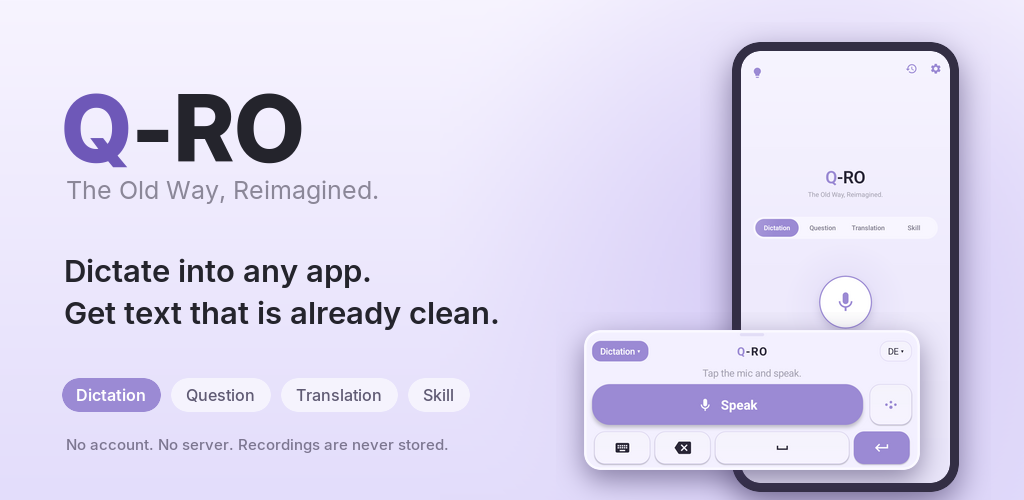
Speaking came before writing. Getting a thought out of your head was always quicker through your voice than through your hands, and that is where Q-RO starts.
How it works
Set it up once, then it's three moves.
Turn on the keyboard
Q-RO registers with Android as a keyboard. You enable it once in your system settings and pick it in a text field like any other.
Speak
Hit the mic and start talking. The recording goes to the speech recognition running on your device, which on most Android phones is Google's.
Finished text in the field
If you want it, an AI model tidies up the transcript: punctuation, filler words, your own terms. The text lands in the app you're writing in.
A look inside
Q-RO Mobile runs as a beta on Android.
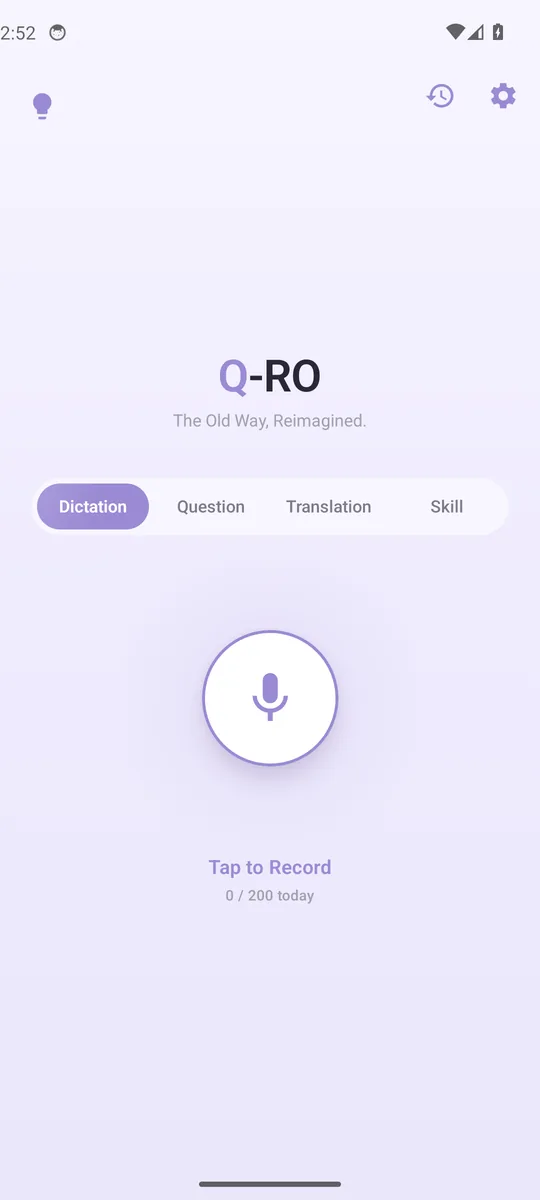
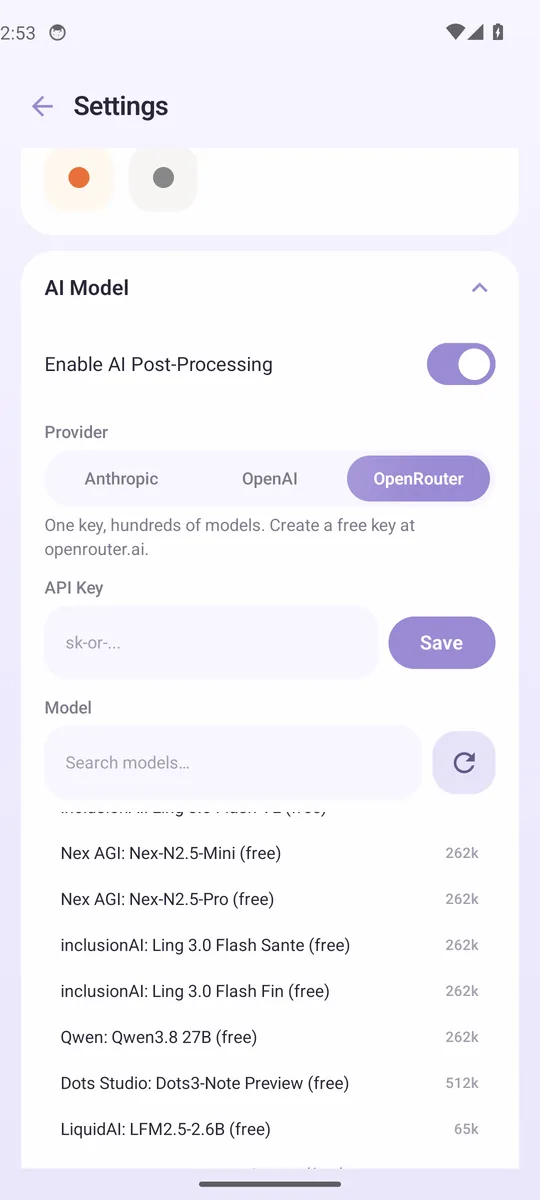
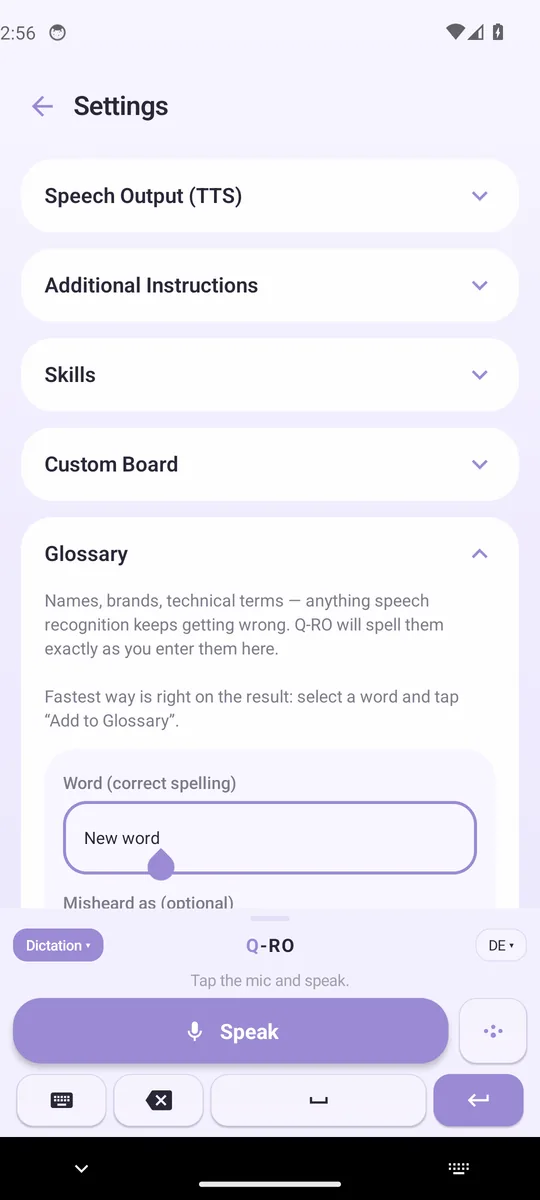
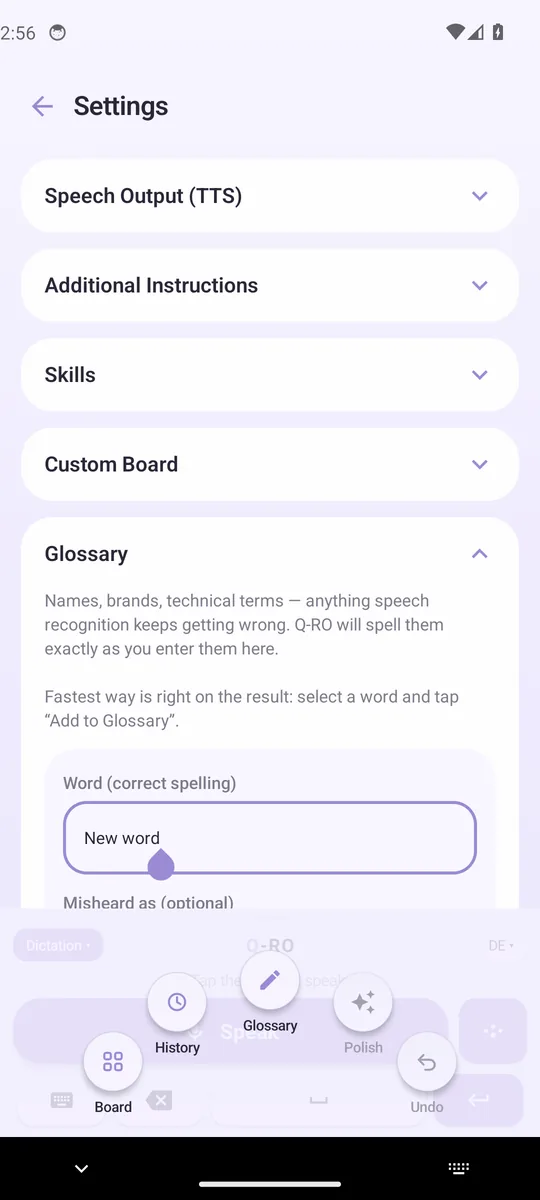
Screenshots from the Android beta, September 2026.
What Q-RO does
Made for everyday use, everywhere in the system.
Voice keyboard for every app
Q-RO sits in the system as a keyboard, which puts it wherever you would otherwise type: chats, forms, notes, search fields.
Four recording modes
Dictate cleans up what you said, Ask answers you, Translate writes into one of ten target languages, and Skill applies your own template, for emails or bullet points. Switching costs a single tap.
Your provider, your key
Anthropic, OpenAI or OpenRouter. You enter your own key and pay for what you use directly there. You need no account with us.
Glossary and your own board
Q-RO writes your names and technical terms exactly the way you stored them: tap the selected word, type the correct spelling, done. Frequent building blocks sit on the board and go in with one tap.
History and read-back
The last 50 dictations stay in the app, original and result, to read back or paste again. Read-back runs on the system voice or through OpenAI and ElevenLabs.
Twelve dictation languages, seven themes
You pick the language straight from the keyboard. Themes run from Lavender Mist to Ink & Paper.
Privacy
What leaves, where it goes, and what stays in the app.
Speech recognition
Q-RO hands the recording to the speech recognition service running on your Android. On most devices that is Google's, and depending on the device and its settings it recognises on the device or on Google's servers. No audio reaches us, we run no server.
What goes to the AI model
With cleanup switched on, your provider receives the prompt, the transcript, and your glossary and board entries. The name of the app you're writing in does not go along. Neither does the window title, the page you have open, or the text already sitting in the field.
The default setting
Out of the box, Q-RO is set to OpenRouter with a free model. On free models, the providers behind them reserve the right to store inputs and use them for training. In the settings you can switch to a paid model or another provider, or turn cleanup off. Then the raw transcript lands in the field and nothing leaves at all. If you stay with OpenRouter, the privacy settings in your account let you demand providers that keep nothing (zero data retention); the free models drop out when you do.
What stays in the app
History, glossary, board, skills and your key live in the app, the key encrypted. The recording itself is never stored, only the text. As long as Android's backup is on for Q-RO, Android includes this data in your Google account backup; you can switch that off in your Android backup settings.
No account, no telemetry
Q-RO needs no sign-up and keeps no count of what you do with it. No analytics, no background crash reporting. You send error reports yourself if you want to.
About the source code
Q-RO Mobile ships as a signed Android package. The code isn't open at the moment, and that can change after release.
Pricing
Prices aren't fixed yet. Everyone on the waitlist gets them cheaper at launch.
For trying things out
Best for daily users
Launch offer, limited
Frequently asked
Does my voice go to the cloud?
Not to us, we have no server. Recognition is handled by your device's own service. On most Android phones that is Google, and it normally recognises on its servers. Whether your device can also recognise offline depends on the device and on the language packs installed there.
Which platforms are supported?
Android 7.0 and newer. Q-RO Mobile runs as a beta and keeps growing.
How do I get the Android beta?
Through the waitlist. Testing currently runs in a small circle; everyone on the list hears from us as soon as we open it up.
Do I need an internet connection?
For cleanup, question mode and translation, yes. Those go to your provider with your key. Recognition itself depends on your device: if it can work offline, so can that part. With no connection or no key entered, the raw transcript lands in the field.
What does it cost?
Pricing will be announced at launch. Waitlist members get access to a launch discount and Lifetime offer.
Do I bring my own AI keys?
Yes. You enter your key for Anthropic, OpenAI or OpenRouter, and it sits encrypted inside the app. OpenRouter has free models, so you can start at no cost, and the app keeps count of how many of those requests you've used today; what the providers behind them may do with your input is covered under Privacy above.
What does Q-RO add over the voice input my device already has?
Ordinary voice input writes down what you say. Q-RO cleans up afterwards: filler words go out, punctuation comes in, and your own terms end up spelled right. On top of that come question, translation and skill modes, history and board, all of it inside the keyboard.
Get in early
Everyone on the waitlist gets into the open test and pays less at launch.
Buttondown manages the signups, with double opt-in and under GDPR. You can unsubscribe at any time.